[Help] Connect SimpleIoT to Thingsboard for simulator

Hey All,

I just recently found out about SimpleIoT and my work just so happened to assign me to a new OT team we have. They’ve been wanting to try to build a simulator to get the team started and asked if I could help. I’m new to this type of stuff though so I’m learning as I go.

My question is why my device isn’t populating the temperature properly in Thingsboard?

To clarify, I currently have a Thingsboard server up and running. I’ve installed the IoT Gateway for TB and that’s working. Their modbus demo unit works properly as well.

TB is also polling the SIOT device and getting a response…I think. At least I know it’s polling it because SIOT’s CLI output is showing a server request and response.


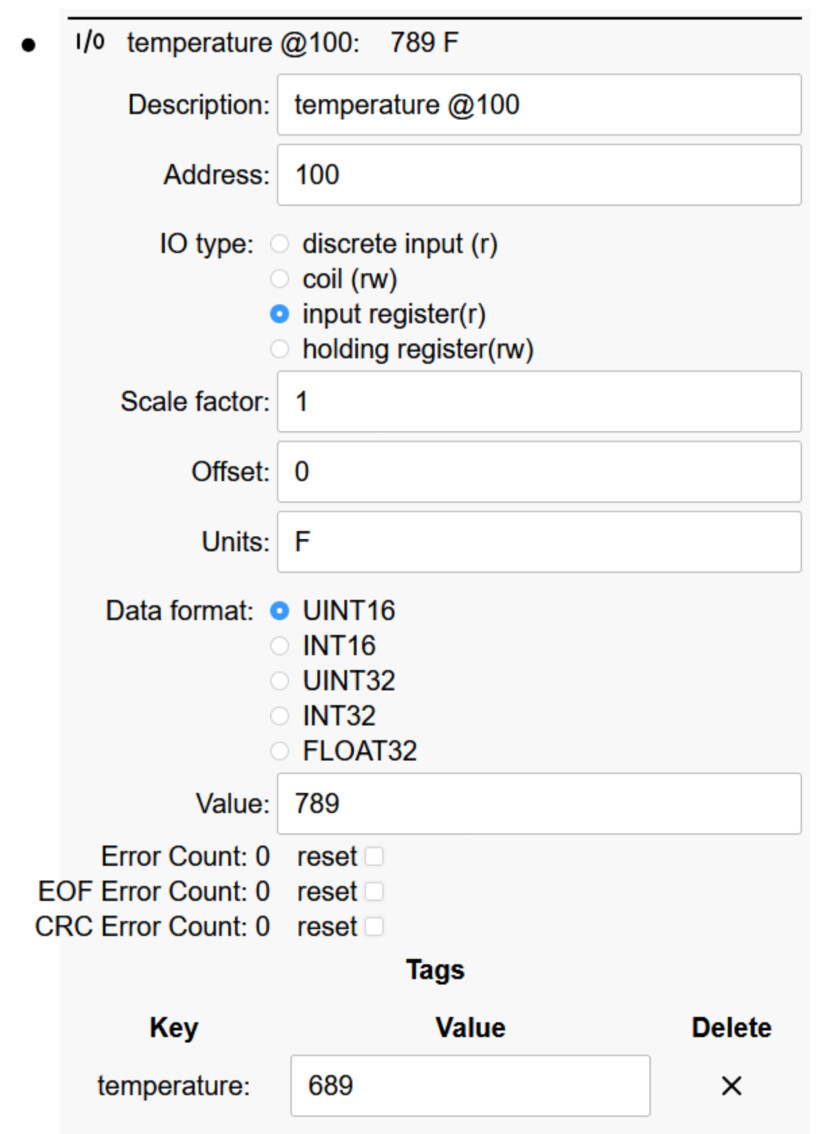
I’ve spun up an SIOT project with 1 Modbus server device to act as a thermostat. It has 1 register at address 100 with a value of 789.

On the Thingsboard side, I have a connector reading 1 register at address 100 from the sim device.
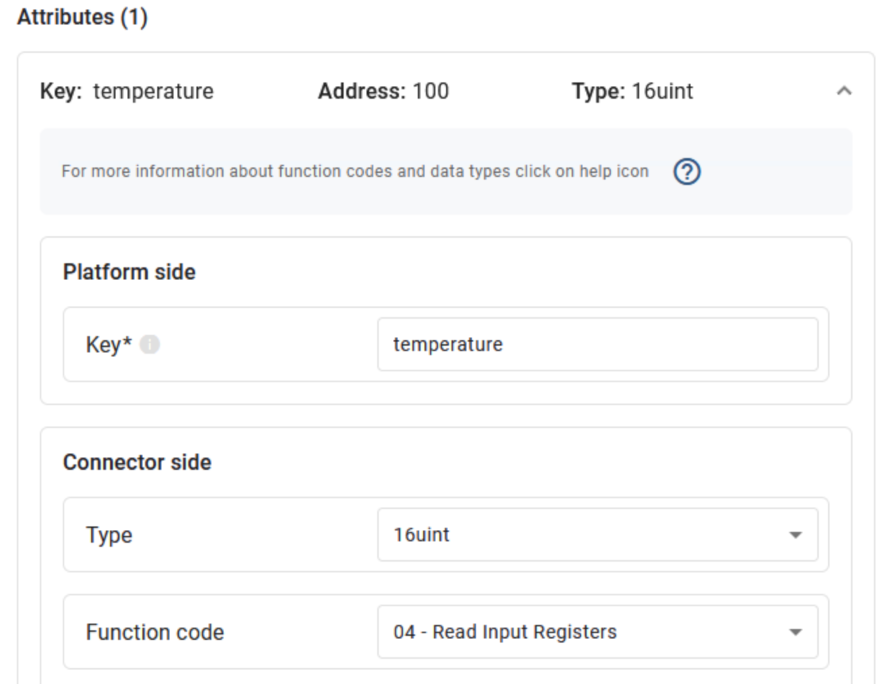
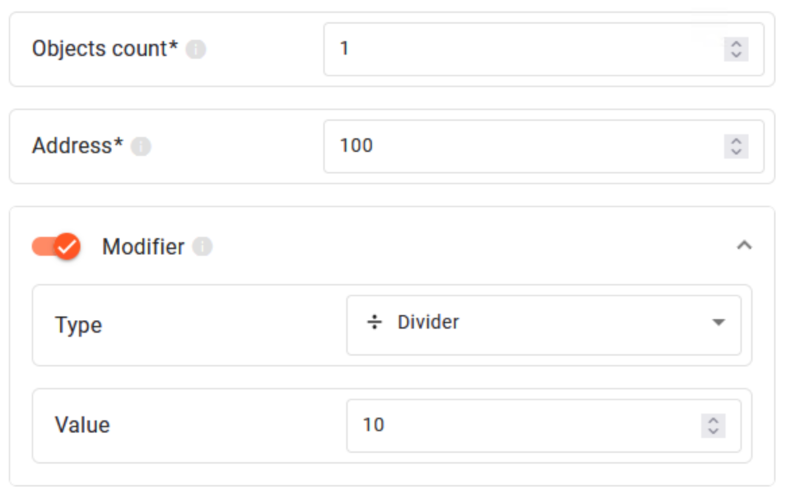
But when I go to view the device attributes in thingsboard, it says the temperature is 0.0.
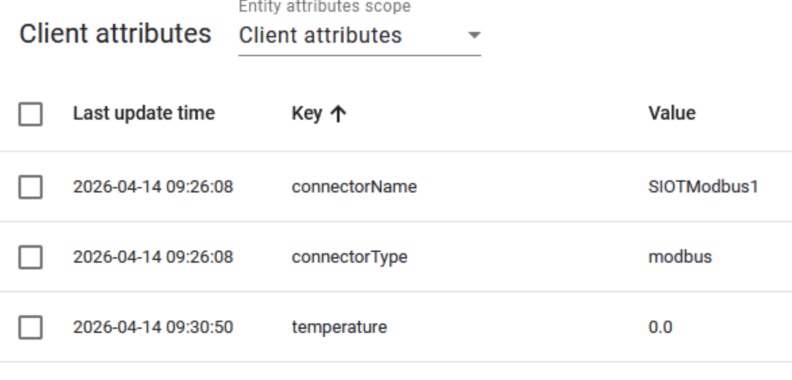

Is anyone able to tell me what I’m doing wrong? I thought I matched everything up correctly but evidently not. I’m also a little confused about the Tagging system in SIOT. I wasn’t sure if I needed a tag, and if I did, what the value was supposed to be?

It seems to me that if I tell TB to read this device, at this register, then I don’t need SIOT to tag that as a temperature but maybe I do? I have tried this same configuration without the added temperature tag in the SIOT device and the same issue occurs.
I’m not sure how thingsboard does addressing, there are two different ways in Modbus land (wire addresses, and modbus addresses). See this for more information:

If you turn the debugging up to 9 on the Modbus node, capture and post the log here, then we can make sure Thingsboard is reading the address SIOT is expecting.

Tags are used mainly for tagging data in InfluxDB, so not needed in this case. The Modbus data will come from the Value field.

You’re close!

Hey!

Thanks for the response. I watched you video about setting up SIOT with the two external USB devices and saw at the end about the Modbus conversions.

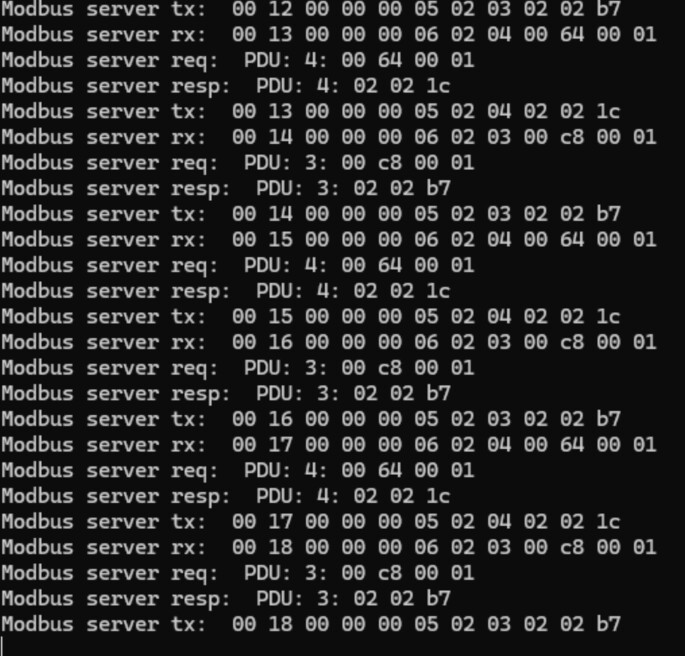
Without burying the lead, I got my setup to work…I’m not entirely sure what I did differently. For completeness, here’s a screenshot of the current SIOT (working) output in the terminal:

This is now working. I can change the value in SIOT and it updates in TB.


I would still like to know what I was doing to screw things up so maybe you could help confirm.

I setup the input register on SIOT as shown in the screenshot. The Description in SIOT is purely internal to the program right? That doesn’t get addressed or transferred over the wire at all?

I tried messing around with the offset like you said in the video and it didn’t work. It’s currently working with SIOT having an offset of 0. So I guess that means that TB uses the number without the offset? Or maybe it translates the register numbers behind the scenes? I’m not sure if that would be considered modbus or wire addresses.

When I went to put the information into TB…I tried a couple of different options and maybe this is where I screwed up. I first placed the temperature reading as an Attribute in Thingsboard. Was that a mismatch? Are register types more intrinsically linked? Meaning, if I make an Input Register in SIOT, does that go into a Time Series in TB and not an Attribute?

If that’s the case, then that may be where I confused the setup. Because after that, I tried moving the temperature reading to a time series in TB and it still didn’t work. I tried changing it from an input register to a holding register but then I couldn’t set the value and just started to get more confused haha.

So my thought is by tearing down the SIOT and the connectors in TB, then resetting them up with Input Registers in SIOT and attaching them to a Time Series in TB, maybe that got them talking the same language?

And if all of that is the case…when do I use a discrete input vs a coil vs an input register vs a holding register? That’s probably more fundamental to a modbus question than an SIOT or TB question but I think this is where the root of my misunderstanding is happening.

Thank you!

1 Like

Glad you got it working!

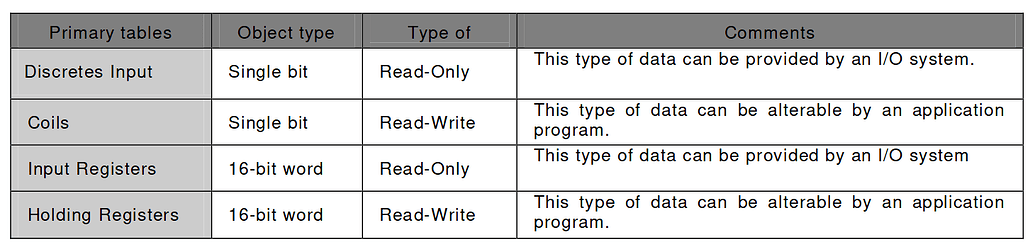
Yes, Modbus can be confusing. There are 4 types of registers:

The server (device) hosts all the registers, and the client (gateway) polls the registers (prompt/response).

Discrete inputs and input regs are read-only.

Coils and holding regs are read/write.

The addressing is a bit confusing, but if you see 5 digit addresses, this is typically a modbus address which encodes the address and reg type in one value:

Coil/Register Numbers Data Addresses Type Table Name
1-9999 0000 to 270E Read-Write Discrete Output Coils
10001-19999 0000 to 270E Read-Only Discrete Input Contacts
30001-39999 0000 to 270E Read-Only Analog Input Registers
40001-49999 0000 to 270E Read-Write Analog Output Holding Register

If you see small numbers, often hexidecimal, then those are likely wire addresses where you specify the reg type separately. I’ve been wanting to update SIOT so you can enter either type and it will automatically convert to the other.

Does this make sense?

Keep going through this until everything in in makes sense:

If its not too much trouble, post some screenshots of your Thingsboard config and maybe that will shed some light.

Yes the fundamental conversion makes sense but I think I was getting hung up on the idea that I was setting it manually on both sides and didn’t know if TB or SIOT was going to do the conversion behind the scenes. I also didn’t know how to read the output of the SIOT debug on the terminal.

I took the info you gave and went back to the output of SIOT and did some more research and I just figured out the output on the terminal! Yay! lol. Well…some of it at least.

As an aside, while I was writing this and doing some more research, I think I figured out how to setup a coil and it worked too! Double yay! When I was first trying it a few days ago, I didn’t connect the dots that coils are 1 bit so I couldn’t actually store an int or something in it.


Definitely will.

Part of the simulator request from work is to also have it simulate Bacnet and MQTT comms too..haven’t even begun to tackle those yet. I’ve found a few libraries for Rust for both of those protocols so maybe I could code my own little apps for it but that’s not today.


Sure! Hopefully screenshots are ok.

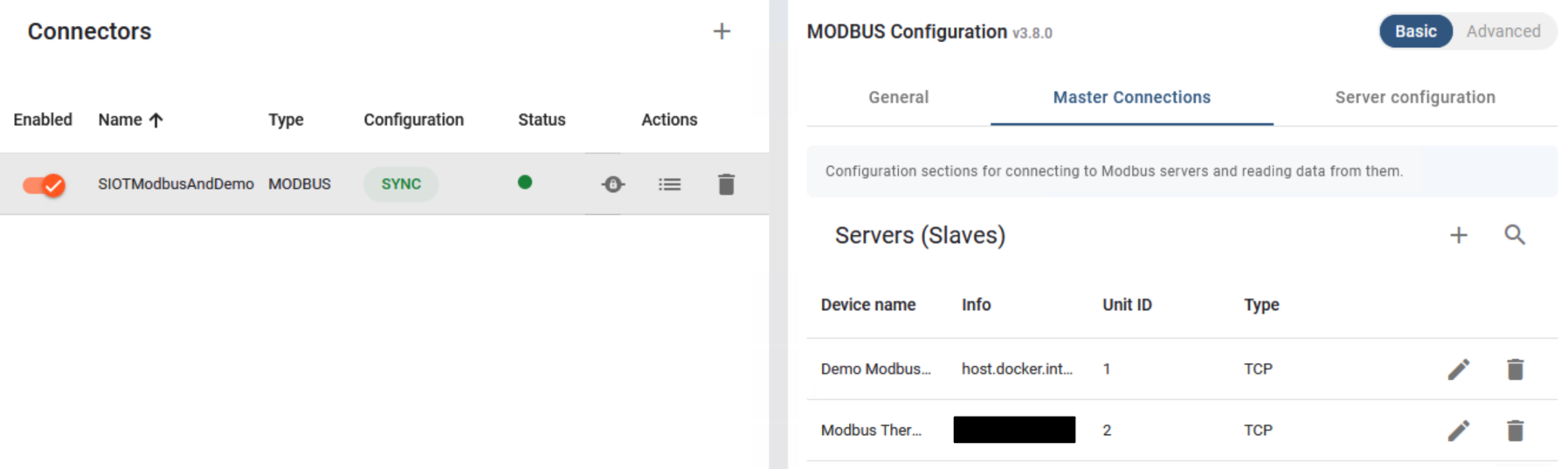
I used the standard generated docker-compose.yml files for TB and the IoT Gateway. I combined the two into one compose file but other than that, the info was generated from TB itself.

I followed the instructions here to also spin up a demo server: Getting started with ThingsBoard IoT Gateway | ThingsBoard IoT Gateway

So after getting the default up and running with the single docker compose file, I setup a connector. I spun up SIOT as well as the provided Modbus emulated server.

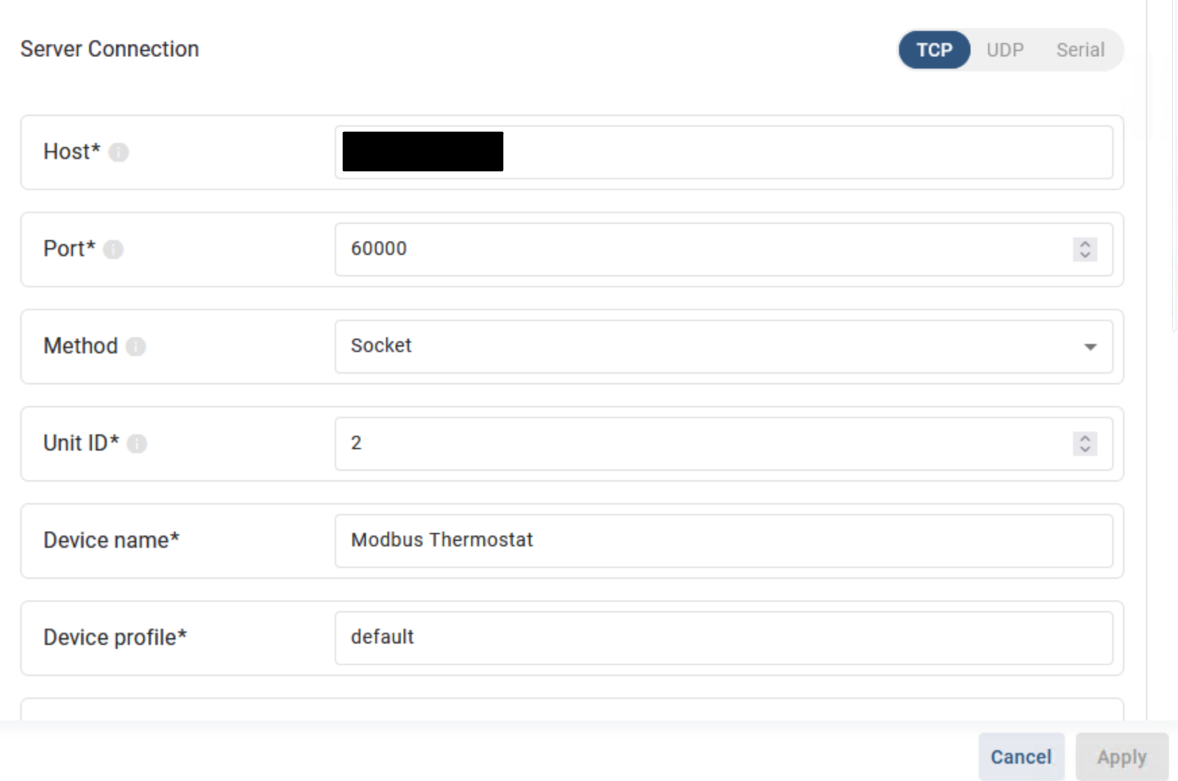
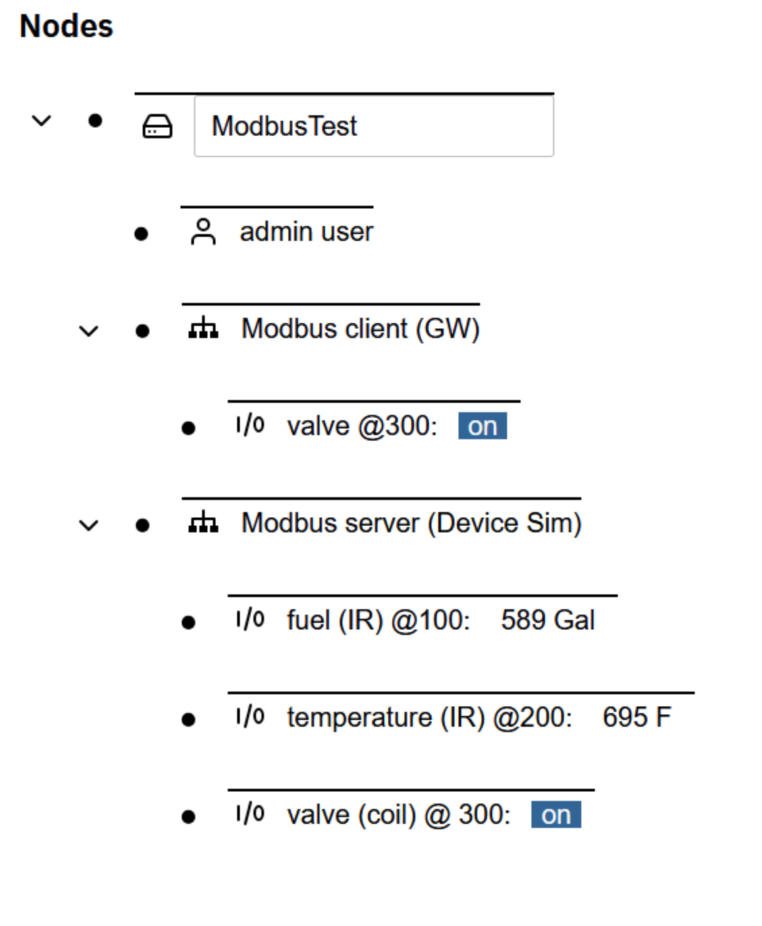
My SIOT modbus slave is setup like this:

I’m currently working on getting the TB dashboard to be able to update the valve status register in SIOT so that isn’t quite work yet.

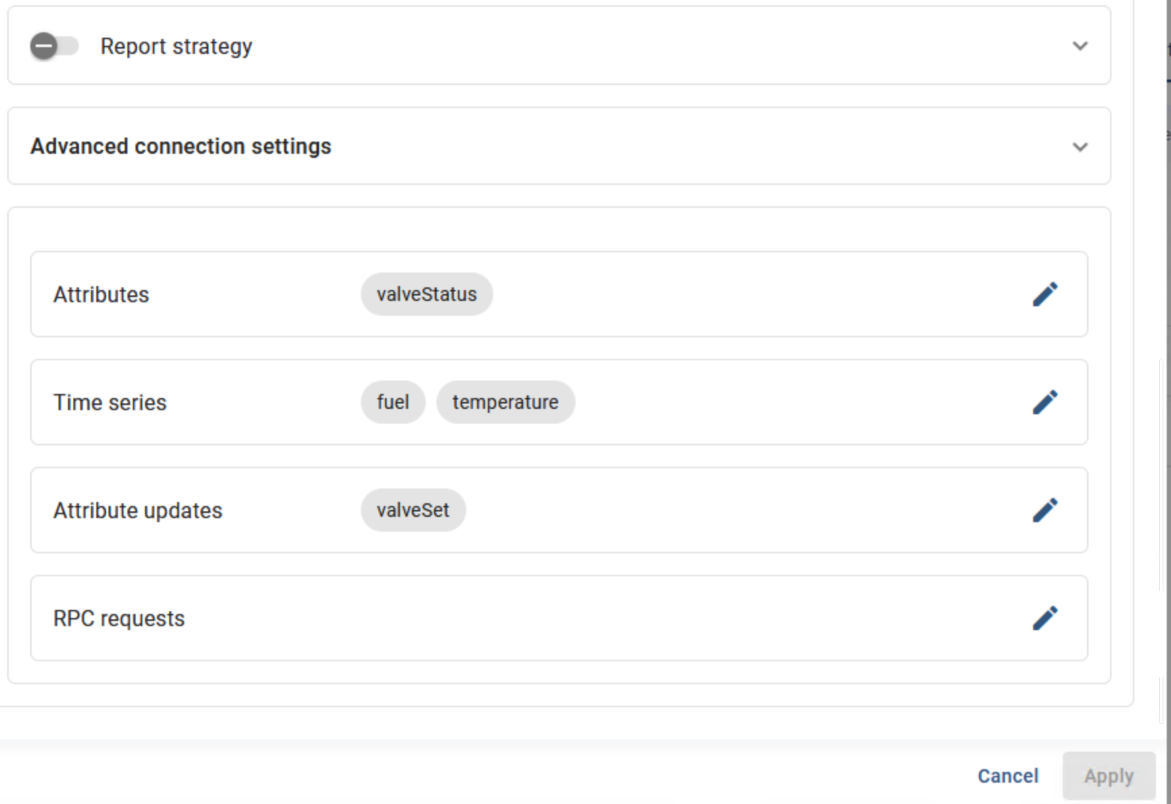
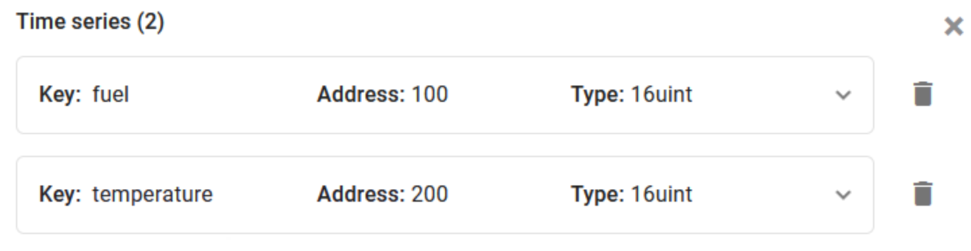
But the fuel and temperature time series as well as the valve status attribute are being updated properly. I have the fuel and temp setup like this:

They’re both holding registers so they’re configured basically the same way.

The valve status is a coil.


Finally the SIOT is setup to match. I also created a client device in SIOT to flip the coil on and off that way since I’m still working on getting TB to be able to do that. The status is being updated to TB properly, just the command from TB isn’t modifying the coil reg and I’m not sure why.

Thanks for the details - I’d say you got it! TB must use raw wire addresses, like SIOT.

Super cool to set up both the client and server for testing. Note, if SIOT is controlling a value (in the client), and it does not match, it will keep trying to write the value to make it match.

Or you could create MQTT/Bacnet clients for SIOT :slight_smile:

Side note - SIOT embeds the NATS server, which supports MQTT, so we are not far from supporting MQTT connections, as well as NATS from clients.

I don’t know Go :sob:

Go is easy to learn, and Claude knows it really well :slight_smile: