Playwright CLI
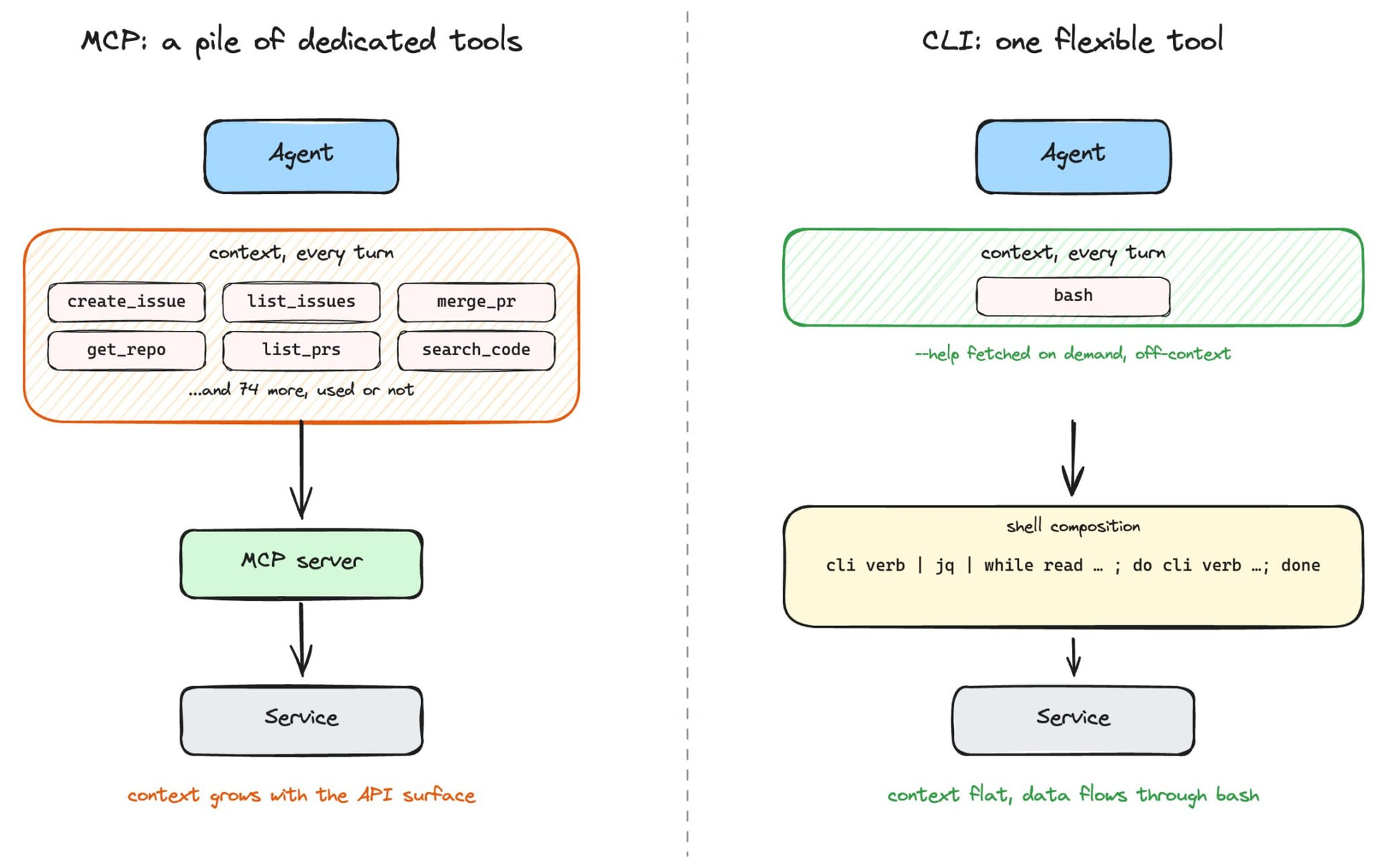
The video presents some of the tradeoffs between
Summary:
Playwright CLI is a new, skill‑based browser automation tool designed to be used by coding agents (like Claude Code or GitHub Copilot) that offers the same capabilities as Playwright MCP but with far better token efficiency by saving data to disk instead of pushing it into the LLM context.
What Playwright CLI is
- A global CLI you install and initialize per workspace with
playwright-cli install, which creates a dedicated folder and browser set per workspace. - It uses “skills” you install into that workspace (e.g., cloud skills) so agents can call browser actions and scenario-specific knowledge through the CLI.
Demo task and workflow
- The video demo runs the same task twice: open playwright.dev, search for “locators,” verify docs exist for JS, Python, Java, and .NET, and take screenshots of each language’s docs.
- In the CLI version, Claude talks to a browser via the CLI, which navigates, takes screenshots, and writes results to files without sending large snapshots or images back into the LLM.
Token efficiency comparison
- MCP run of the task used about 114,000 tokens because it returned a full accessibility snapshot of a large docs page and then sent screenshot image bytes back into the LLM, all of which landed in the context window.
- CLI run used about 26,800 tokens because it stored snapshots and screenshots on disk and let the coding agent decide whether to read or forward them to the LLM, avoiding unnecessary context usage.
Capabilities and configuration
- All CLI commands and capabilities are also available via MCP, but many are disabled by default in MCP to avoid context bloat, whereas CLI can expose the full command set freely because outputs are file‑based rather than context‑based.
- MCP is a strict standard that works with any generic agent, supports multiple browsers, and can be manually tuned by enabling/disabling tools to manage efficiency.
When to use CLI vs MCP
- CLI is recommended when you are using a coding agent that can edit files and access your workspace for coding, testing, and similar developer tasks, especially when you want maximum token efficiency and headless, background agents.
- MCP is recommended when you’re authoring more general agentic loops or workflows where a generic agent calls tools directly and you’re okay managing context usage more manually.