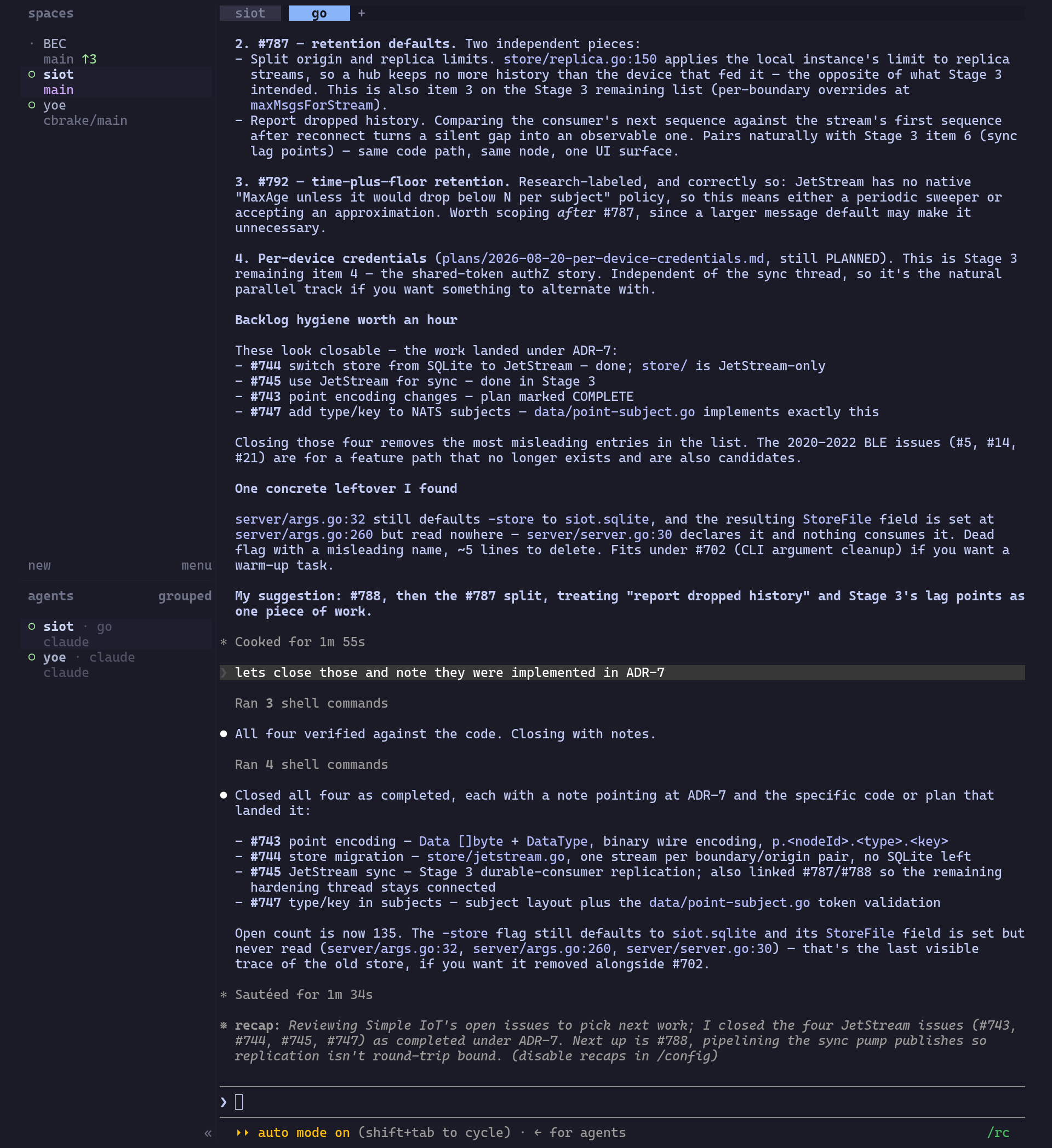
A big difference from Zellij is that each herdr terminal on the same session runs in lockstep. With Zellij, I would often have a one tab open in one terminal and another tab in another terminal, which is very useful.
The solution right now is to start different sessions, which seems kind of clunky.
Moved prefix to ctrl-a so it does not conflict with Helix scroll back.
Mapped keys to move between tabs and panes to match Zellij, which I really like.
Shortcut to scroll through workspaces quickly.
Pop up lazygit in herdr instead of Helix.
With this combination, I’m liking herdr pretty well - I think I’ll stick with it for a bit.
[keys]
# Moved off the default ctrl+b so Helix keeps its page-up binding.
# Matches the tmux prefix in ~/.tmux.conf.
prefix = "ctrl+a"

# Pane and tab navigation mirroring the zellij bindings in ~/.config/zellij/config.kdl.
# Zellij's alt+h / alt+l use MoveFocusOrTab, which falls through to the adjacent tab
# at the edge of a layout. Herdr keeps pane focus and tab switching as separate
# actions.
previous_tab = "alt+h"
next_tab = "alt+l"

focus_pane_down = "alt+j"
focus_pane_up = "alt+k"

# Workspace navigation, matching the vim-style j/k direction used for pane focus.
previous_workspace = "alt+shift+k"
next_workspace = "alt+shift+j"

# lazygit in a session-modal popup, replacing the zellij floating-pane binding
# that used to live in ~/.config/helix/config.toml. Herdr intercepts this key
# before it reaches the focused pane, so it works from Helix, a shell, or an
# agent pane.
[[keys.command]]
key = "ctrl+l"
type = "popup"
command = "lazygit"
width = "90%"
height = "90%"
Using this instead of Zellij almost exclusively - I really like to have all my contexts in one window. One thing that surprises me is how much my different projects are related. For instance, an IIO client is a recent feature in SIOT, and the BeaglePlay is the board I’ve been trying to test it on, but it does not have the A/D converters configured (Yoe Build land). So being able to effortlessly switch between them quickly is useful.
Can we still do deep work?
The primary purpose of Herdr is to monitor long-running AI sessions - it does this very well. You can start one thing, quickly switch to another, start that, and bounce between things as AI tasks finish. This pushes us toward hyper-multitasking. How does deep work fit into all this? In one sense, not having to focus on all the nitty-gritty implementation details does free up a lot of mental bandwidth to think at a product/strategic level. However, jumping between projects many times/hour is likely not optimal either for deep work.