This article makes a good point – just because it uses a particular AI model does not make local tools equivalent. The local agent is responsible for batching up a number of requests to the backend model. How it does this is important.
1 Like
why > how > what ( in that order of importance )
I’d put the problems in this post at a “good undergraduate” level. They’re accessible to maybe top 5% of CS students at a median US university, and to 85% of CS students at an Ivy. I am not saying Claude Code is a good undergraduate– it’s a different thing altogether. It can do refactors at superhuman speed but can’t publish to npm. What I am saying is that if you’re working at this level of difficulty, Claude Code is a phenomenal coding companion. Setting aside all the productivity arguments, it dramatically amplifies what’s fun about coding by eliminating much of what’s annoying. I would not want to go back to a world without it.
The interesting thing is Slava works at Microsoft …
Using Claude Code with proprietary code
When working with proprietary code, you can tell configure Claude not to train on your code:
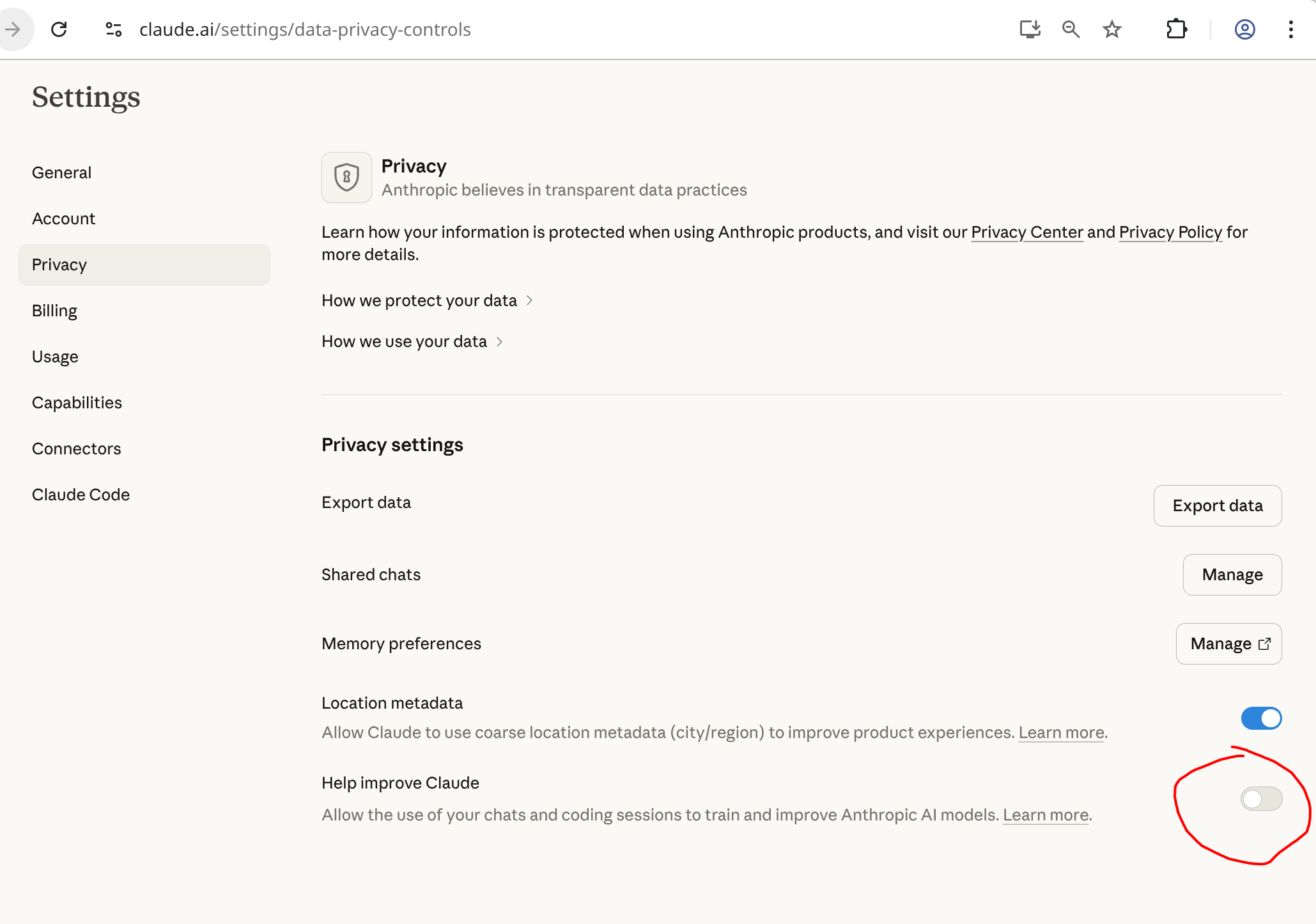
Just be careful, as per their consumer terms of service if you supply feedback (ie: filing a bug, using the /feedback command, or answering their “How’s Claude doing today?” thumbs up/down), or if Anthropic silently flag your usage for safety review, then it can still retain your full conversation and use it for training purposes even if you have this setting in your privacy settings turned off: Is my data used for model training? | Anthropic Privacy Center
The safety thing is a pretty big hole, and is absent when using the “work” or API products, which probably makes sense if you are doing something really innovative.
OpenCode works pretty well if you want to use the Anthropic API in the terminal. I tried OpenCode with my Claude Max account - it worked for several hours, but then shut me off, as OpenCode somehow simulates a browser to use a Claude Max account, and it appears Anthropic is somehow detecting that. Fortunately, I did not get banned. If you ever use OpenCode with Claude, use the API, not OAuth login.
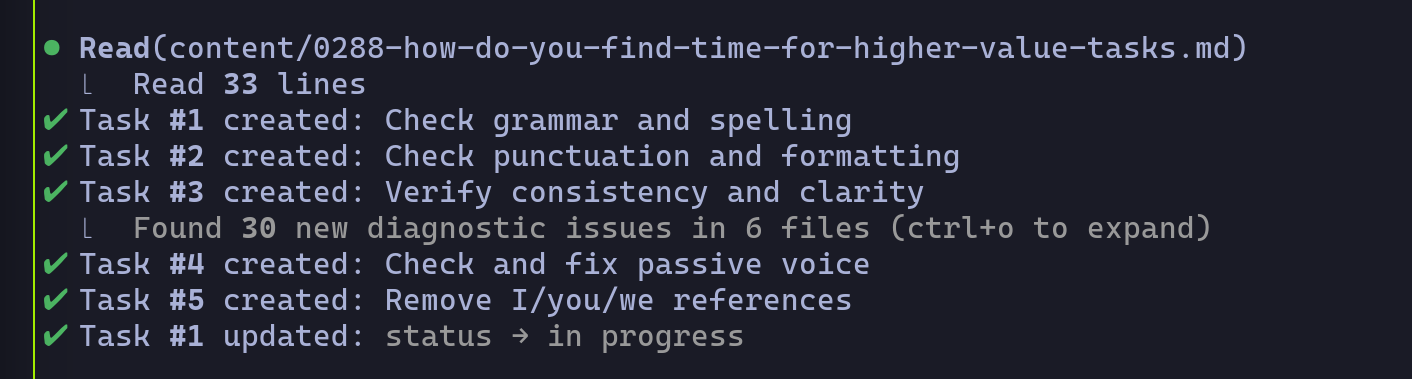
Regarding security, this looks useful:
How I use Claude Code (Meta Staff Engineer Tips)

This video features John Kim, a Staff Software Engineer at Meta, sharing 50 expert tips for using Claude Code (an agentic CLI coding tool by Anthropic) based on six months of daily use. The guide targets engineers moving from traditional IDEs to AI-native workflows, emphasizing context management and validation loops.
Foundations & Setup
Kim emphasizes that proper initialization is critical for Claude Code to understand project architecture.
- Project Initialization: Run
claudefrom the project root and use/initimmediately. This commands Claude to analyze the codebase and generate a tailoredCLAUDE.mdfile. - Rule Files (
CLAUDE.md): This file acts as the “system prompt” or linting rule set for the agent. It operates hierarchically (project-level overrides global) and is read top-to-bottom. Kim suggests keeping it around 300 lines, focusing on high-level architecture, domain context, and build/validation flows. - Keyboard Shortcuts: Efficiency is key. Use Shift+Tab to toggle between “Plan” and “Act” modes, and Double Escape to clear input or rewind context.
Core Workflow Strategy
The video advocates for a “Plan-First” approach to prevent context bloating and errors.
- Plan Mode: Always start new features in Plan Mode. Kim argues that rigorous planning and “arguing” with the AI to refine the approach makes the actual code generation trivial.
- Context Management: “Context is best served fresh and condensed.” Use
/contextto visualize token usage and/clearor/compactto manage bloat. Kim warns that bloated context leads to regression in AI performance. - Validation Loops: Define clear validation steps (e.g., “build, run tests, read logs”). Providing Claude with a way to self-verify its work allows it to iterate and fix errors without human intervention.
Power User Features
Kim introduces concepts that treat Claude Code as a composable platform rather than just a chatbot.
- Skills & Commands: Recurring workflows (like “fetch Hacker News”) can be saved as Skills, which Claude can then execute via custom slash commands. This effectively creates reusable scripts driven by natural language.
- MCPs (Model Context Protocol): While powerful for connecting to external tools (like Figma or Xcode), Kim advises using them sparingly as they significantly increase token usage. He suggests installing only project-specific MCPs.
- Sub-Agents: Use sub-agents to handle isolated tasks (like “Architecture Review”). This isolates the context of that specific task, preventing it from polluting the main session’s memory.
Advanced Techniques
- Git as a Safety Net: Rely on Git for version control rather than Claude’s internal undo features. Commit
CLAUDE.mdto the repository to share agent behaviors with the team. - Parallel Workflows: Advanced engineers should run multiple Claude instances simultaneously in split-pane terminals (e.g., iTerm), allowing them to “juggle” context between different tasks while one instance is processing.
- YOLO Mode: The
--dangerously-skip-permissionsflag allows Claude to execute commands without asking for confirmation every time, which is useful for throwaway environments but risky for system-level operations.
I wish Claude Code’s planning mechanisms would more clearly show what it has changed between the previous and current iteration of a plan. Especially when plans get longer than just a few paragraphs, it’s often hard for me to understand exactly what’s different in the current iteration of a plan compared to the previous one.
I often end up iterating on a plan many times with the agent. It’s great that Claude Code now puts the plans into files and is able to limit the context usage of iterating on plans better, but having like a diff-version be able to be shown when the agent updates the plan would greatly help me mentally understand how my feedback on a plan changed the plan. Plus it would greatly reduce the time I spend re-reading the same plan when most of it is unchanged or maybe some tiny detail has changed but where I really care about that tiny detail.
Could you put something in CLAUDE.md that instructs Claude to store the plan in the git workspace and commit the plan to Git any time it changes the plan? Then you could view plan changes over time like any other file.
In doc-driven dev, I track plans with the source code in the plans/ directory:
Even then, I have to continually remind Claude I want plans in my repo workspace, not some remote ~/.claude directory.
Why we don’t automatically track plans in Git is a mystery to me. The Plan (and other docs) is the new source code. Why not record the plan and track it like any other source code? Also, it is much easier to review a plan than a boatload of source code, so should not the plan be included in the PR?
Yes, in some cases this would be possible, although getting the agent to reliably do that instead of what ever planning functionality Anthropic have baked into Claude Code itself might be hit or miss. Additionally, there’s times when I’m working with Claude on projects where no such infrastructure is present and possibly other contributors to the project are adversarial to AI-use, so tracking plans directly in the project source itself is not realistic unless I change my workflow even more to be able to diligently filter out such git commits.
Ideally, I’d want this to be a native feature of Claude Code. It already stores the plans in a special plans directory, putting some lightweight versioning capability to show me a marked up difference doesn’t seem that burdensome for them to implement.
Maybe it could be directives in CLAUDE.md or a plugin, or some custom workflow, but all of that feels like high friction ways of doing it. But worth considering for sure.
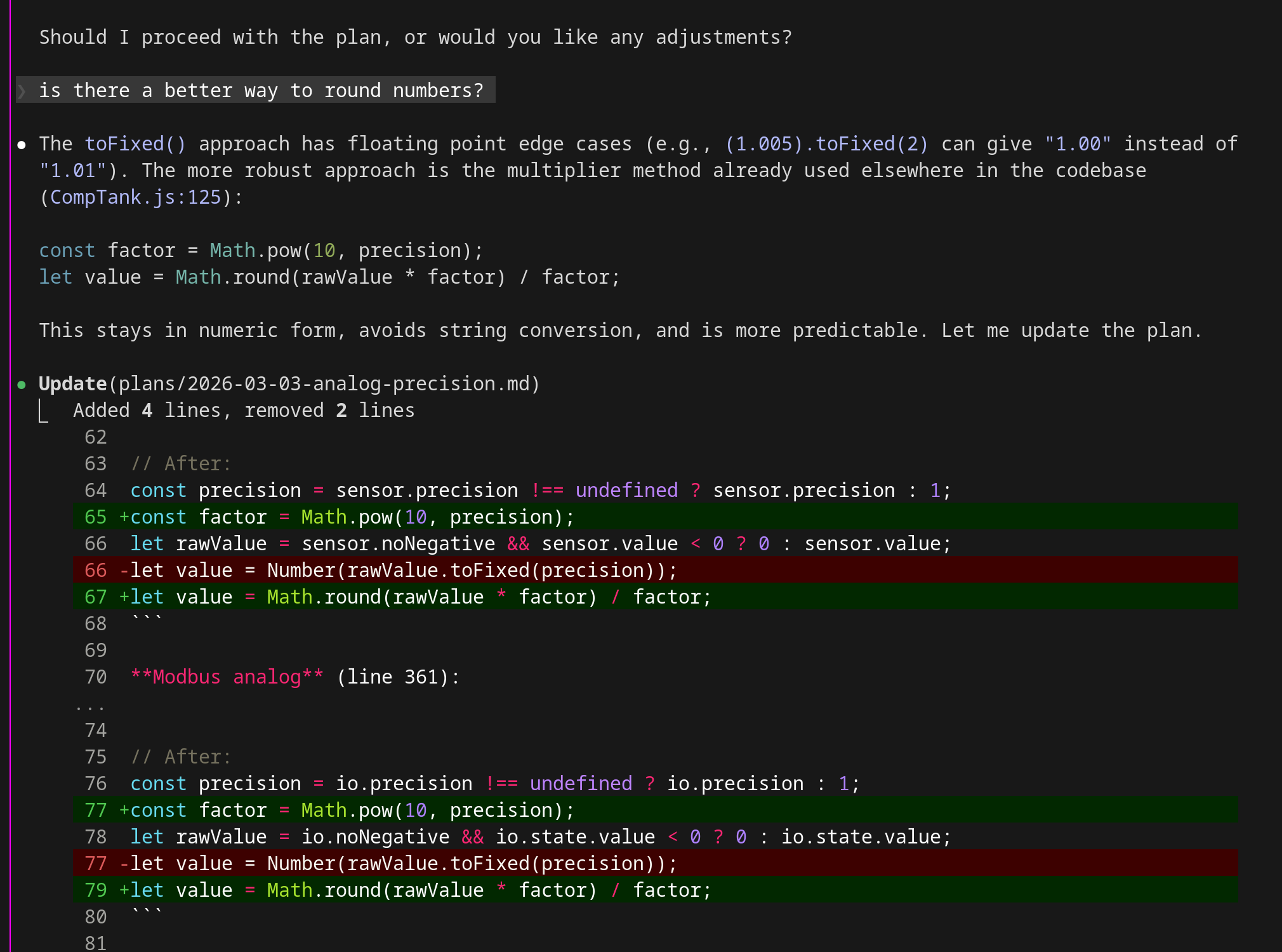
Claude is giving me diffs on a plan file I’m working on. Not sure if it would do this if it was stored outside the repo …
1 Like
Auto mode now works on Max plans
Auto mode was recently enabled for max plans. This drastically improves the workflow as it does not ask as many questions. Still exploring sandboxing as another option, as auto does use tokens.
I appreciate the transparency.
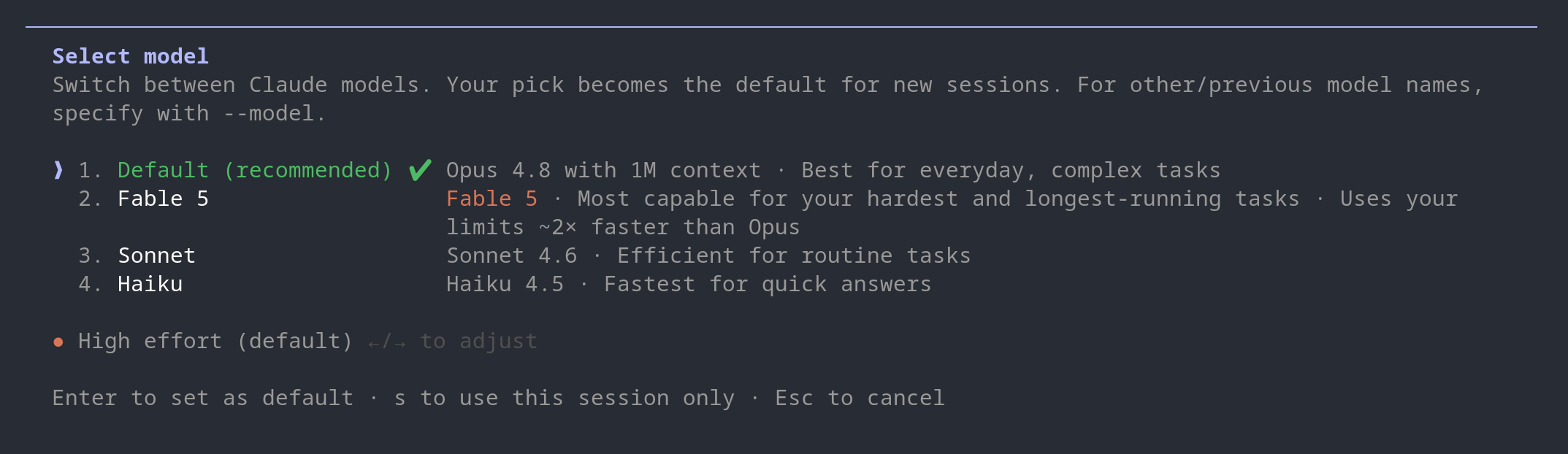

There’s no change to flat rate plans who don’t want to use Fable or Mythos. So I wouldn’t say flat rate is getting phased out, but flat rate definitely isn’t going to bring in enough revenue to support a big fat IPO.
The most interesting aspect of the Fable 5 launch blog post to me was they hinted at the per-token pricing of Mythos Preview being more than double the Fable 5 / Mythos 5 pricing of $10/M-input and $50/M-output tokens. Mythos Preview was likely making a nice fat chunk of revenue for the past month or three!
The way this blog post is worded encourages me to not give up on local models. I don’t really know why, but the tone rubs me the wrong way about relying on Anthropic for inference…